
Why do you need a follow button on LinkedIn Profile?
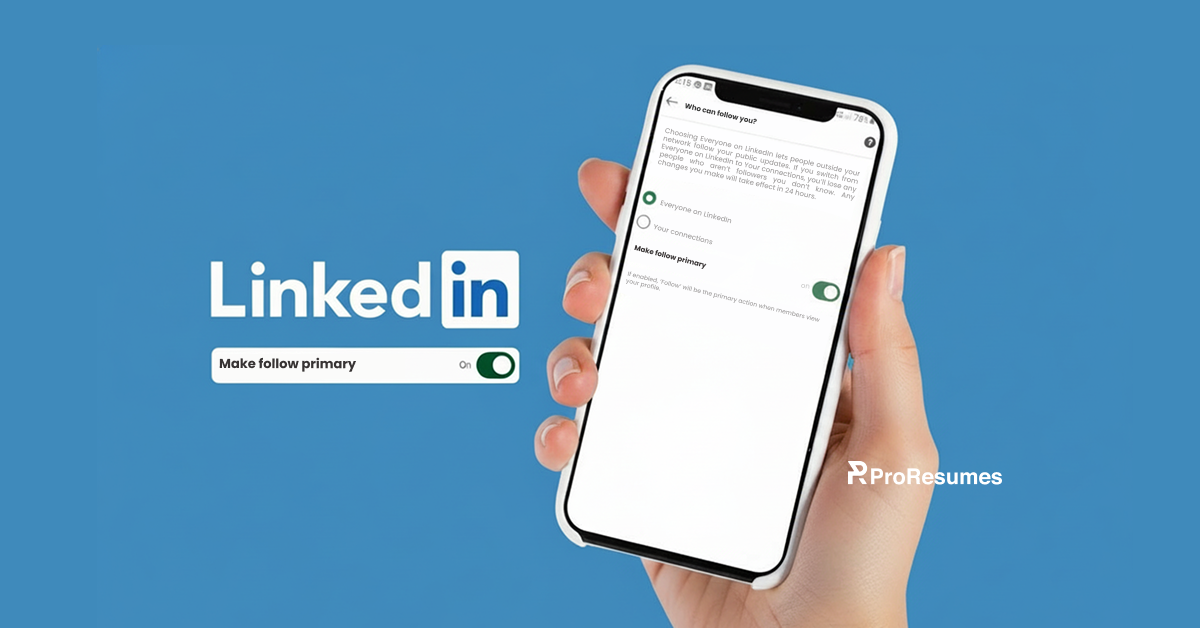
Have you ever wondered why your favorite public personalities only have a follow button on their LinkedIn profile? Well, they might have enabled the “make follow primary” option in their LinkedIn profile settings.
Do you want a follow button on LinkedIn as well? This guide will differentiate the connect and follow button on LinkedIn. How to get the follow button on your LinkedIn profile, along with its pros and cons.
Related: 7 Deadly LinkedIn mistakes to avoid!
What is the purpose of the Follow button on LinkedIn?
The follow button on LinkedIn simply means a one-way connection where you keep getting updates from someone you follow.
As soon as you hit the follow button on LinkedIn on someone’s profile, you’re allowed to see and interact with their public content.
Is there a difference between Follow and Connect on LinkedIn?
The Connect and the Follow button are the two options for interaction, given by LinkedIn to its users.
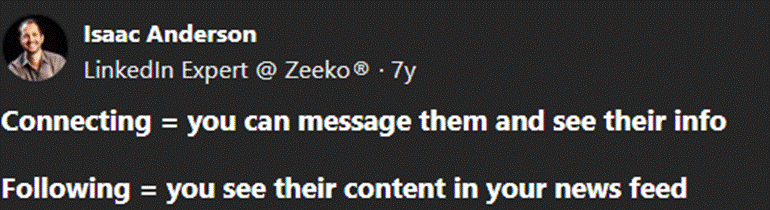
According to Isaac, a LinkedIn Expert, connecting with someone on LinkedIn gives you direct access to their DMs and content.
Career Strategists at ProResumes suggest analyzing your LinkedIn profile objectives before having a default choice.
When do you need a Connect Button as a primary option
If you’re a beginner to the LinkedIn platform, then you should consider having a connect button as your default option.
The goal of most job seekers and career changers on LinkedIn is to build professional connections.
They use LinkedIn to interact with people within their industry and to get job recommendations and skills endorsements.
Having a Connect button as a default choice on your LinkedIn profile helps you in having a two-way relationship.
You become the 1st Degree connection of the person you connect with.
The best part is that you can easily slide into your connections’ messages and try to build a trust level. On the other hand, people pay for premium LinkedIn services to acquire monthly InMail just to message someone.
Moreover, having a certain number of connections on LinkedIn can also boost your visibility in the recruiters’ searches.
So, having a connect button as a default choice can give these perks without spending a dime.
When do you need a Follow Button as a primary option
You should use the LinkedIn follow button as a default choice when you’re aware of networking and connection building.
People who have years of experience and work history should make the Follow button primary on their LinkedIn profiles.
This default choice is mostly used by people who want to attract an audience through their public content.
The LinkedIn follow button is used by those who want to avoid connection requests from complete strangers.
Moreover, if you want to build a personal brand on LinkedIn, having a follow button can be your best choice.
When it comes to using a follow button as your default LinkedIn profile option, you can reach masses.
Related: Establish LinkedIn Authority in your niche in 2026
How to switch to the Follow button on LinkedIn?
The LinkedIn platform makes this option accessible for every user on their platform. However, it was previously available for users of Creator mode only.
Here’s how to get the LinkedIn follow button on your profile through web, android or IOS devices:
Step-by-step guide to make follow primary on LinkedIn Web
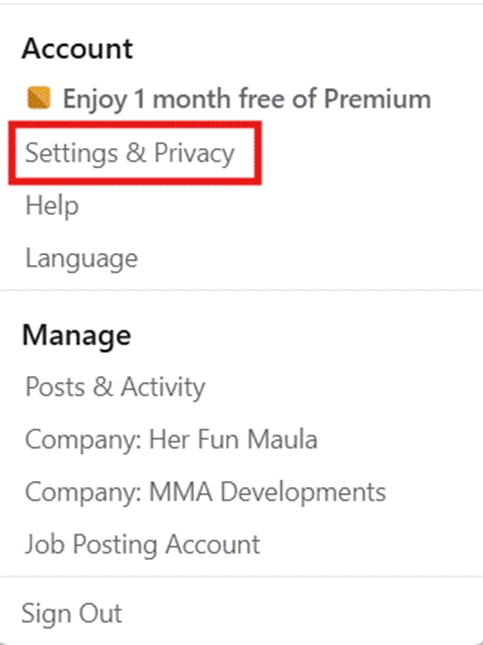
- Open LinkedIn on any Web browser and go to the “ME” option with your profile picture. Select the “Settings & Privacy” option from the drop-down menu.
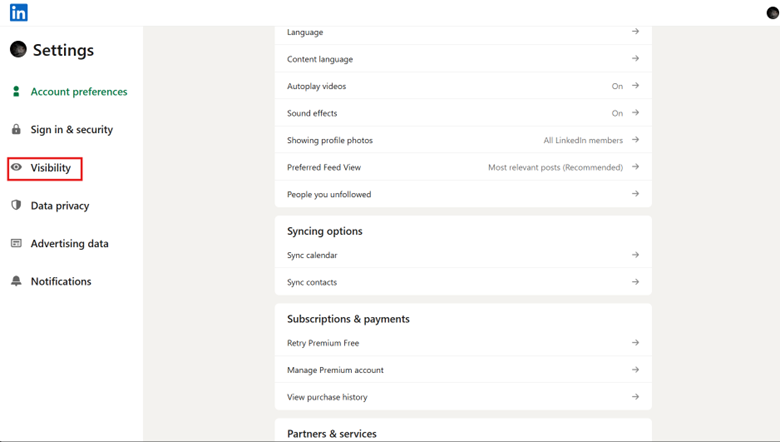
- Choose the “Visibility” option on the left-side bar of your LinkedIn profile settings.
- In the Visibility settings, scroll down a bit to find the “Visibility of your LinkedIn activity” menu.
- Choose the “Followers” option from the menu.
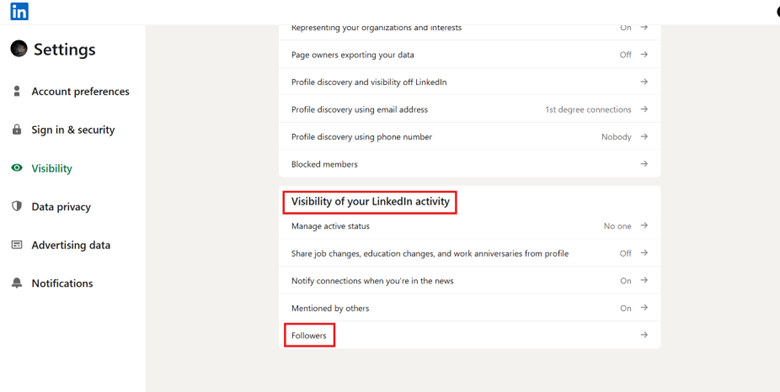
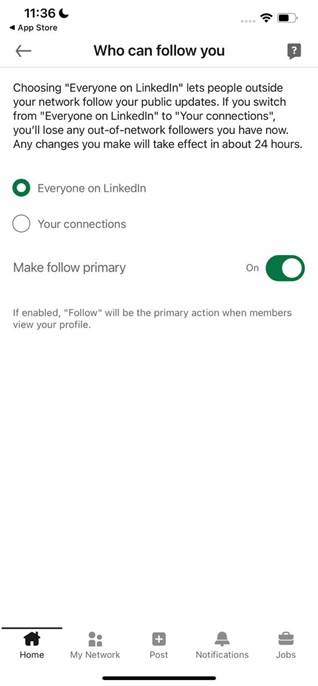
- Choose who can follow you, every user or just your connections.
- Go to the “Make follow primary” option and click on it to check if it’s green.
- The follow button on LinkedIn will be available when the option is on; Connect button will be available when it’s off.
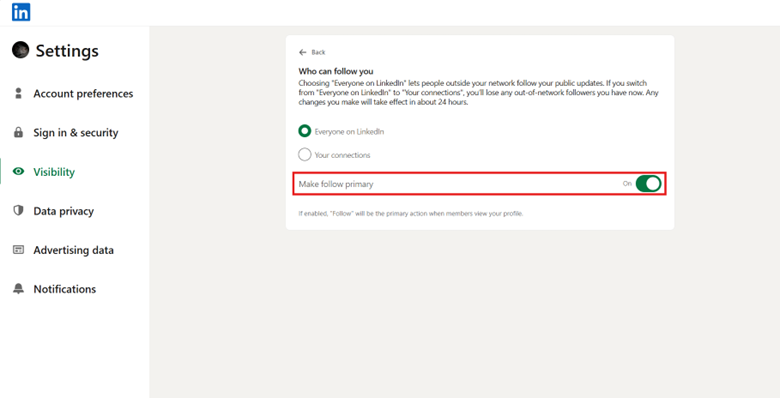
Step-by-step guide to make the follow button primary on LinkedIn Mobile
You can follow the same method to enable your follow button on LinkedIn through Android or IOS.
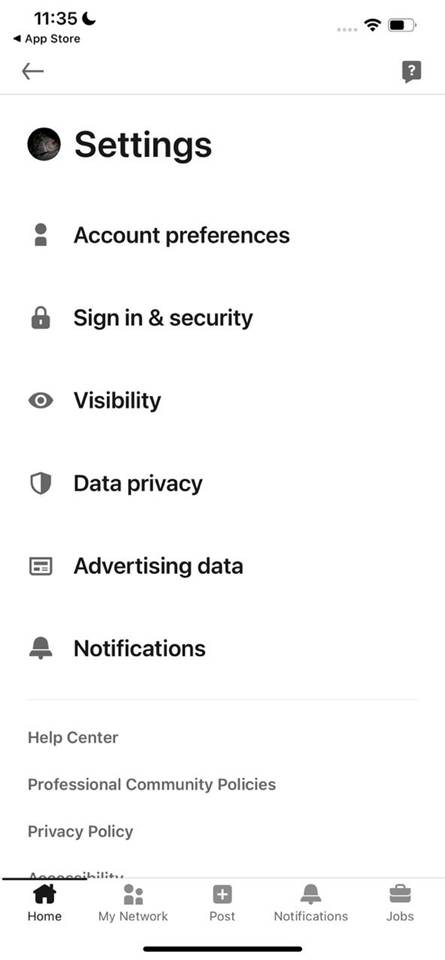
- Go to LinkedIn Settings in the left side menu once you’ve tapped your profile icon.
- Choose the “Visibility” option in the drop-down, left-side bar.
- Scroll down and click on the “Followers” option at the end of the “Visibility” menu.
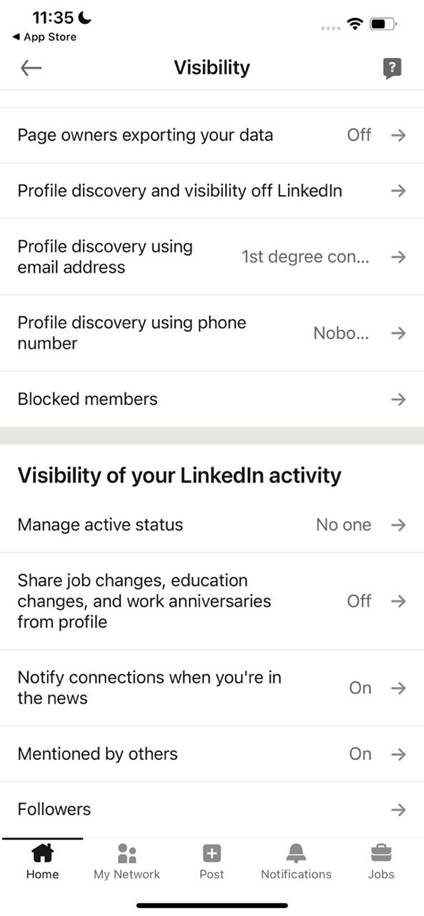
- Turn on the “Make follow primary” button on your Android or IOS devices.
Pros and Cons of having Follow button on LinkedIn as primary option
Benefits of having Follow button on LinkedIn profile
- Unlimited Followers: You are not limited by LinkedIn to have a certain number of followers. However, you can’t have more than 30,000 connections on a single profile.
- Saves Time: Having a follow button on LinkedIn doesn’t bind you to check who is following you. Meanwhile, you cannot connect with someone if you or the other person doesn’t accept the connection request.
- Boost engagement and reach: Having followers who interact with your public content boosts your LinkedIn profile reach. The more your content gets visible, the more engagement you receive.
Drawbacks of having Follow button on LinkedIn profile
- Random Followers: Having a follow button on LinkedIn as your default choice will give the access to your public content to anyone. You can’t limit who can follow you.
- Lost connections: Your followers can’t message you directly unless you switch to the option. This means losing potential clients or someone who can provide professional benefits.
- Unpredictable visibility: Your well-crafted content won’t resonate if you don’t have the right audience as your followers.
Which one is better, the Follow or Connect button?
We can’t simply choose one option as the best since both have their perks and drawbacks. However, choosing the right default option among the Follow button and connect button depends on your LinkedIn strategy.
Don’t have a LinkedIn strategy? Certified LinkedIn experts at ProResumes can help you choose the best default options for your LinkedIn profiles.
Leverage LinkedIn profile optimization and learn the best tips and tricks of using LinkedIn.
Frequently Asked Questions
Q. Why do some LinkedIn profiles show the Follow button?
Most people have enabled the follow button on LinkedIn as the default action button on their profiles. This is the reason why you see the Follow option with a blue button whenever you visit their profile.
Q. Can people follow me on LinkedIn without connecting?
Yes, if you’ve a follow button enabled on your LinkedIn profile with an option for everyone to follow. Anyone can follow you and are able to interact with your publicly available content, even if you’ve not accepted their connection request.
Q. Why do some people only have the Follow button option on LinkedIn?
They only have a follow button on LinkedIn profiles because of their default choices. Most people don’t prefer connecting with strangers and hence use the Follow option as a default setting.