

How to Write a LinkedIn Recruiter Response?
Key Takeaways
- Why Your LinkedIn Recruiter Response Matters.
- How to reply to a recruiter’s message: interested or not interested.
- LinkedIn Professional Response Tips.
- Timelines to follow up while responding to a recruiter on LinkedIn.
- LinkedIn Samples for replies to Recruiters.
LinkedIn platform is the #1 job and talent search tool nowadays. LinkedIn profile optimization, along with effective use of LinkedIn features, is key to success in 2025.
Both job seekers and recruiters are utilizing the LinkedIn profile to meet their requirements. Job seekers search for jobs, and 90% of recruiters hunt talent through the LinkedIn platform. Worried about responding to Recruiters on LinkedIn: What to Say, Share & Avoid in 2025. You are not alone; ProResumes fully supports you through our expert guidelines.
What is a LinkedIn Recruiter Response?
The reply to recruiters’ messages when they reach out to you via direct or InMail message is called the LinkedIn Recruiter response. LinkedIn is continuously updating job search and hiring features. There are 20 ways for recruiters to search for potential resources and complete the hiring process through LinkedIn. Below are the most LinkedIn Recruitment ways used by recruiters,
- LinkedIn Recruiter or Recruiter Lite
- Post jobs via LinkedIn Job Slots
- Boolean search for targeted results
- personalized InMail messages
- Search in LinkedIn Groups
- Filter candidates using #OpenToWork
- Skills and endorsements filters
- LinkedIn Talent Insights
- LinkedIn Ads for job posts
What Common Mistakes should be avoided when replying to a LinkedIn Recruiter?
When potential opportunities knock on your door, your professional response matters. A poorly written LinkedIn reply to recruiters can have a significant impact on landing the job and losing it. When recruiters reach out to you online,
- Don’t panic
- Don’t reply in a hurry
- Search and understand recruiter and job role requirements
- Discuss with experts and seniors within your industry
- Read resources: how to reply to recruiters on LinkedIn
- Get professionally written LinkedIn messaging samples and customize them per your requirements.
Job hunters can take advantage of other recruitment ways as well by optimizing their LinkedIn profile and enabling the above-mentioned features, including skills endorsements and recommendations, and #OpenToWork. Don’t know how to set up #OpenToWork or optimize your LinkedIn profile. Read Comprehensive Guidance on LinkedIn Profile Optimization.
Should you respond to a LinkedIn recruiter message? (Interested or not Interested)
Whenever people perform a task, they look for outcomes. If the question raised in your mind is whether it is worth replying to the recruiter? The answer is yes, your response to a recruiter’s message or job vacancy is the first impression. If you make a professional reply to the recruiter’s message, your chances of connection building and selection will be 10x more.
LinkedIn response matters because it indicates two main things;
- You are serious about the offered job.
- You are giving respect to the recruiter’s time.
If this is the first time that a small red message notification from LinkedIn Recruiter appeared at the top of the screen, you might be unsure how to respond to a recruiter on LinkedIn. Before you start typing your response, spend quality time reading our guide to replying to a LinkedIn recruiter.
10 best ways and professional tips: Give your best to the recruiter’s LinkedIn message
You are actively looking for a job, applying to job openings, or thinking about the next steps. Whatever the case, a recruiter has reached out to you at the right time. Let’s look at 10 ways that must be followed to write back to a recruiter.
- Read the message & understand the requirements.
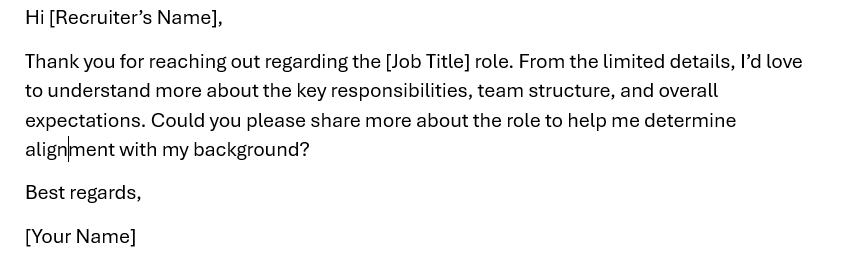
You have a recruiter message, and according to the provided information, you are overqualified for the position, or you aren’t the best fit for it. The other case is that the provided information about the position is vague. You need to do some serious fact-finding before you can move forward with them. It’s important to ask the big questions upfront so that you don’t waste your or a recruiter’s time.
- Check recruiter availability (green dot status)
Check a recruiter’s LinkedIn green dot to confirm if he is online right now or not. Don’t reach out to him when a recruiter isn’t online. You need to be at the top of a recruiter’s inbox. So, reply when the LinkedIn dot is green.
- Share your resume & LinkedIn URL in the message.
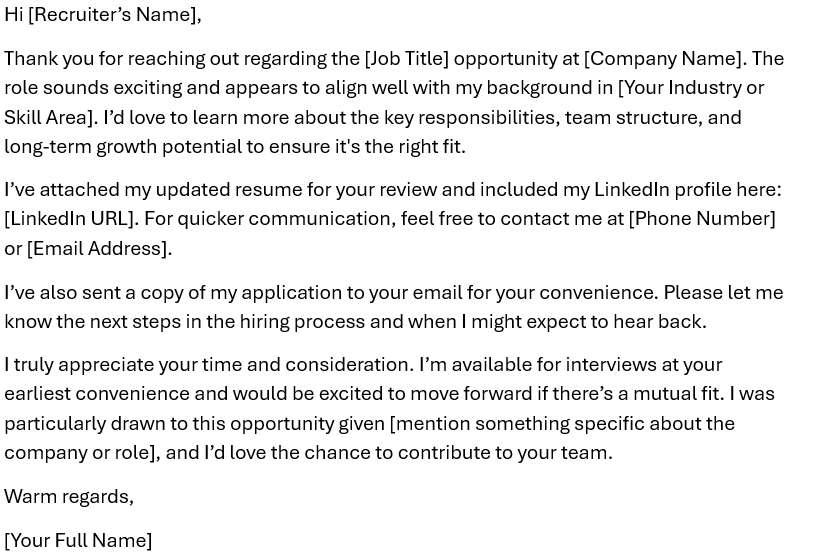
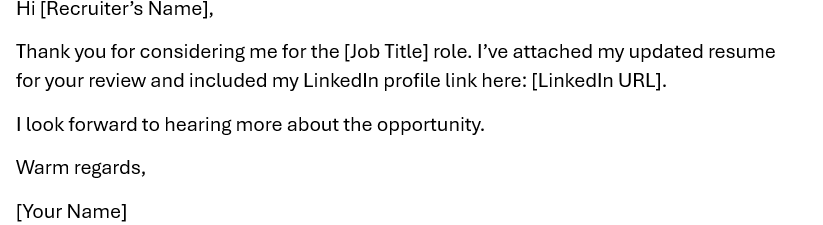
Stay one step ahead, don’t wait for the recruiter to ask for your resume. Make sure to attach your updated resume when replying to a LinkedIn recruiter. Since LinkedIn’s navigation can be a bit complex, it is helpful to include your LinkedIn URL directly in your message to make it easier for a recruiter to view your background again.
- Add your contact details for prompt communication.
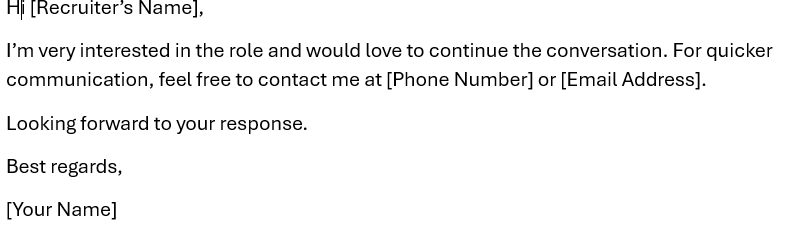
If you feel LinkedIn communication can cause delays. It is better to add your phone number in the response to a recruiter for prompt communication. If the recruiter has already provided their contact information, such as phone number, you can reach out directly as well to ask for further information and show your interest.
- Reach out through email.
If you have all the information required to apply for the position. Make sure to reply via LinkedIn and send your application through email as well. This will allow your application not to be skipped by the recruiter.
- Thank the recruiter.
Professional greeting and saying thanks to recruiters for considering you can lead to long-term relationships. This act can generate more potential opportunities for you in the future, even if you are not interested in the shared job.
- Ask for the next steps.
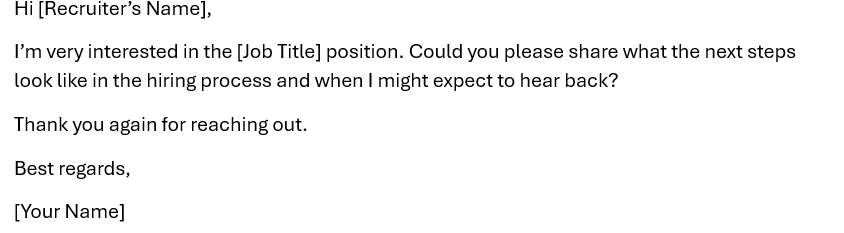
In your professional response to a recruiter, ask about the hiring process. You can add questions such as when I will receive the interview call or how long I can wait to hear back from you.
- Express your interest clearly.
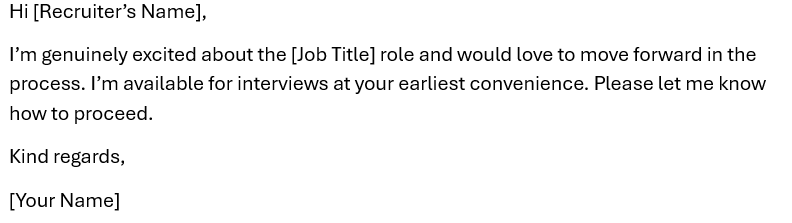
Clearly mention in the LinkedIn message reply that you are immediately available for the next steps of the hiring process.
- Message customization.
Don’t use templated messages, even provided by ProResumes. You need to send a customized message to LinkedIn Recruiter for a positive response. Avoiding generic and vague LinkedIn messages is key to success in the job search process.
- Professional closing note
Your closing note in a LinkedIn message response should be professional and engaging. You can make a cover letter-type response to the LinkedIn recruiter.
How soon should you respond to a LinkedIn Recruiter?
Do recruiters expect a fast response? Yes. However, you can expect a response from the recruiter within 24 -48 hours. Spend this time understanding the company culture, familiarizing yourself with job requirements, and preparing thoughtful questions.
Pro Tip: Reach out to the Hiring Manager during business hours.
LinkedIn message examples for interested candidates
Example 1:
Example 2:
Example 3:
Example 4:
Example 5:
Example 6:
LinkedIn message examples for not interested candidates
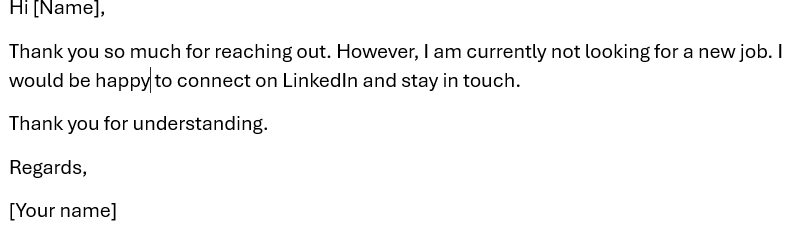
When it comes to not accepting a job offer, you may find it tricky to respond to recruiters. A simple “No” and leaving a message unattended is not a professional approach. You need to give a short, polite, and professional message that does the job. This positive gesture can lead to connection and future opportunities. Below is an example you can follow,
Conclusion
Whether you’re actively applying for a new job or happy with your current role or company, responding to recruiters on LinkedIn can impact your career path. By leveraging all the explained tips and using the provided LinkedIn messaging samples, you can set yourself apart from the rest of the competition on LinkedIn.
ProResumes is committed to helping candidates secure new jobs by writing the best response to LinkedIn Recruiters. Our Certified Digital Career Strategists help at each step of LinkedIn profile optimization and job search.